Diving into the realm of cybersecurity, regular security updates stand as a crucial shield against digital threats. As technology advances, so do the methods of potential breaches. In this exploration, we uncover the pivotal role that timely updates play in safeguarding systems and data from malicious actors.
As we navigate through the nuances of security updates, we unveil the intricate web of risks associated with neglecting these essential measures.
Importance of Regular Security Updates

Regular security updates play a crucial role in maintaining cybersecurity by patching vulnerabilities and protecting systems from potential threats. Without timely updates, systems are left exposed to cyber attacks and data breaches, jeopardizing sensitive information and compromising overall security.
Preventing Security Breaches
- One notable example is the WannaCry ransomware attack in 2017, which exploited a vulnerability in outdated versions of Windows. Organizations that had not installed the necessary security updates fell victim to this widespread attack, resulting in significant financial losses and disruptions.
- Equifax, a major credit reporting agency, experienced a massive data breach in 2017 due to unpatched software vulnerabilities. This breach exposed the personal information of millions of individuals, highlighting the consequences of neglecting security updates.
Risks of Not Installing Security Patches
- Failure to install security patches regularly exposes systems to known vulnerabilities that cybercriminals can exploit. This increases the risk of unauthorized access, data theft, and other malicious activities.
- Outdated software and unpatched systems are more susceptible to malware infections, phishing attacks, and other cybersecurity threats. Neglecting security updates can lead to system downtime, financial losses, and reputational damage for individuals and organizations.
Contribution to System Stability and Performance
Regular security updates not only enhance cybersecurity but also contribute to overall system stability and performance. By addressing vulnerabilities and improving the security posture of systems, updates help minimize the risk of system crashes, errors, and performance issues. Additionally, staying up-to-date with security patches ensures that systems run smoothly and efficiently, providing a secure environment for users and data.
Types of Security Updates
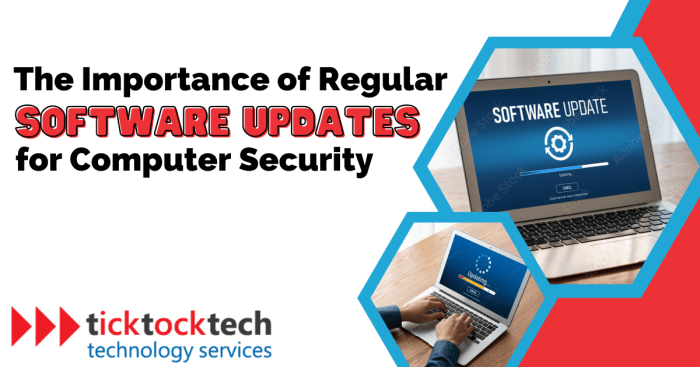
Regular security updates come in various forms to protect systems and devices from vulnerabilities. Understanding the different types of security updates and their purposes is crucial for maintaining a secure digital environment.
Software Patches
Software patches are updates released by software vendors to address specific vulnerabilities or bugs in their programs. These patches help to fix security holes that could be exploited by cyber attackers. For example, a software patch for a web browser may fix a vulnerability that allows malicious websites to execute code on a user's device.
Firmware Updates
Firmware updates are specific to hardware devices and provide enhancements to the device's functionality and security. These updates typically address vulnerabilities in the device's firmware that could be exploited by attackers. For instance, a firmware update for a router may patch a security flaw that allows unauthorized access to the device.
Antivirus Definitions
Antivirus definitions are updates to the virus signature databases used by antivirus software to detect and remove malware. By regularly updating antivirus definitions, users ensure that their security software can identify and eradicate the latest threats. For example, an antivirus update may include new signatures for ransomware variants that have recently emerged.Staying informed about the latest security updates for various software and devices is essential to protect against evolving cyber threats.
Neglecting to apply these updates can leave systems vulnerable to exploitation, resulting in potential data breaches or other security incidents.
Best Practices for Implementing Security Updates
When it comes to implementing security updates, following best practices is crucial to ensure the protection of your systems and data. Here is a step-by-step guide to help individuals or organizations effectively apply security updates.
Checklist for Installing Security Updates
- Backup Data: Before installing any updates, always backup your data to prevent any potential loss in case of unexpected issues during the update process.
- Verify Authenticity: Ensure that the security updates you are installing are legitimate and from trusted sources to avoid falling victim to malware or phishing attacks.
- Review Release Notes: Take the time to read through the release notes provided with the security updates to understand what changes or fixes are being implemented.
- Test Updates: Consider testing the updates on a small sample of systems before applying them across the entire network to identify any compatibility issues.
- Schedule Downtime: Plan for a maintenance window to apply the updates when it least impacts regular operations, such as during off-peak hours.
Tips for Scheduling Updates Effectively
- Automate Updates: Utilize tools and resources that offer automated update features to streamline the process and ensure timely implementation of security patches.
- Set Reminders: Establish a regular schedule for checking and applying security updates to prevent overlooking critical patches that could leave your systems vulnerable.
- Prioritize Critical Updates: Identify and prioritize critical security updates that address known vulnerabilities or threats to address them promptly.
- Monitor Compliance: Keep track of the update status across all systems to ensure that they are up to date with the latest security patches and in compliance with security best practices.
Consequences of Ignoring Security Updates

Ignoring security updates can have severe consequences on personal devices or business networks. Failure to install these updates in a timely manner can leave systems vulnerable to cyber attacks, data breaches, and other security threats. In this section, we will analyze the potential consequences of neglecting security updates and discuss the impact of delayed updates versus immediate installation on system security.
Impact of Delayed Updates
Delayed updates can significantly compromise the security of systems and networks. By postponing the installation of security patches, organizations and individuals risk exposing their sensitive data to cybercriminals. Hackers actively exploit known vulnerabilities in outdated software to gain unauthorized access to systems, steal confidential information, or disrupt operations.
The longer the delay in applying security updates, the greater the likelihood of a successful cyber attack.
Case Studies of Data Breaches
Numerous organizations have fallen victim to data breaches due to outdated software lacking security updates. For example, the Equifax data breach in 2017 resulted from the company's failure to patch a known vulnerability in its systems, leading to the exposure of sensitive personal information of millions of customers.
This incident not only caused financial losses but also severely damaged Equifax's reputation and trust among its stakeholders.
Long-Term Implications
Ignoring security patches can have long-term implications in terms of financial costs and reputation damage. Organizations that neglect security updates may face legal consequences, regulatory fines, and loss of business opportunities. Moreover, the reputational harm resulting from a data breach can be difficult to recover from, impacting customer loyalty and brand perception.
Investing in regular security updates is essential to safeguarding systems, protecting data, and maintaining trust with stakeholders.
Wrap-Up

In conclusion, the significance of regular security updates cannot be overstated. From enhancing system stability to mitigating cybersecurity risks, staying vigilant with updates is key to fortifying our digital defenses in an ever-evolving landscape.
Essential Questionnaire
What are the potential risks of not installing security patches regularly?
Without regular security updates, systems are vulnerable to malware attacks, data breaches, and other cyber threats that exploit known vulnerabilities.
How do regular security updates contribute to overall system stability?
Regular updates help patch vulnerabilities and bugs, ensuring that systems run smoothly and securely without interruptions.
What are the consequences of ignoring security updates for personal devices or business networks?
Neglecting security updates can lead to compromised data, financial losses, damaged reputation, and even legal consequences in case of a breach.

![The 5 Best Laptops for Small Businesses in 2024 [All Budgets]](https://business.blogcristiano.net/wp-content/uploads/2025/11/Top-5-Tech-Gadgets-for-Entrepreneurs-120x86.jpg)