As the workforce continues to shift towards remote environments, ensuring robust security measures for remote workers is paramount. This article delves into the essential strategies and tools to protect both employees and sensitive company information from cyber threats. From multi-factor authentication to VPNs, explore the key components of a secure remote work setup.
Importance of Security Measures for Remote Workers
Security measures are crucial for remote workers to protect sensitive data and confidential information from cyber threats. As more employees work remotely, the risks associated with cyber attacks have increased significantly.
Risks Associated with Remote Work
- Remote workers are more vulnerable to phishing attacks, malware, and ransomware due to the lack of secure networks.
- Unsecured Wi-Fi networks can expose sensitive data to hackers, leading to data breaches and financial loss.
- Using personal devices for work purposes can pose security risks if proper measures are not in place to protect company information.
Statistics on Cyber Threats Targeting Remote Workers
According to a recent study, 70% of organizations have reported that remote workers have been targeted by cyber attacks.
Phishing attacks have increased by 350% since the beginning of the COVID-19 pandemic, with remote workers being the primary targets.
Ransomware attacks on remote workers have grown by 485% in the past year, highlighting the urgent need for enhanced security measures.
Implementing Multi-factor Authentication (MFA) for Remote Access
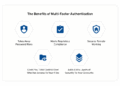
Multi-factor authentication (MFA) is a security process that requires users to provide two or more different factors to verify their identity before gaining access to a system. This added layer of security significantly enhances protection against unauthorized access and data breaches.
Types of MFA Methods and Their Effectiveness
- Something you know (e.g., passwords, PINs)
- Something you have (e.g., mobile phone, smart card)
- Something you are (e.g., biometrics like fingerprints, facial recognition)
There are several types of MFA methods, each with its own level of effectiveness:
Setting Up MFA for Remote Access
- Choose a reliable MFA provider that offers the methods suitable for your organization's needs.
- Set up user accounts and enroll them in the MFA system.
- Configure the MFA settings to require multiple factors for authentication.
- Test the MFA setup to ensure it works seamlessly without causing disruptions.
Here are the step-by-step instructions for setting up MFA for remote access:
Securing Remote Devices and Networks
Securing devices and networks for remote work is crucial to protect sensitive information and prevent unauthorized access.
Importance of Securing Devices for Remote Work
When employees use their personal devices for remote work, it increases the risk of potential security breaches. Securing these devices helps in safeguarding company data and maintaining the confidentiality of sensitive information.
Best Practices for Securing Home Networks
- Change default router passwords to unique, strong passwords to prevent unauthorized access.
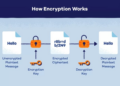
- Enable network encryption (such as WPA2 or WPA3) to protect data transmitted over the network.
- Regularly update router firmware to patch security vulnerabilities and ensure optimal performance.
- Implement network segmentation to separate work devices from personal devices and create a secure work environment.
Tips for Securing Laptops, Smartphones, and Other Devices
- Enable full disk encryption to protect data in case the device is lost or stolen.
- Use strong, unique passwords or biometric authentication methods to secure device access.
- Install security software (such as antivirus and anti-malware programs) to detect and prevent threats.
- Regularly update device operating systems and applications to patch security vulnerabilities.
Training Remote Workers on Cybersecurity Best Practices
In today's digital age, where remote work has become the norm, it is crucial to train remote workers on cybersecurity best practices to protect sensitive information and prevent cyber threats.Cybersecurity training for remote employees is essential to educate them about the various cybersecurity threats they may encounter while working remotely.
By providing examples of common threats such as phishing emails, malware attacks, and social engineering tactics, employees can better recognize and avoid falling victim to these malicious activities.
Examples of Common Cybersecurity Threats
- Phishing Emails: Remind employees to always verify the sender's email address and avoid clicking on suspicious links or downloading attachments from unknown sources.
- Malware Attacks: Encourage employees to regularly update their antivirus software and be cautious when downloading files from the internet.
- Social Engineering Tactics: Train employees to be wary of unsolicited requests for sensitive information and to verify the identity of individuals requesting access to confidential data.
Significance of Creating a Culture of Cybersecurity Awareness
Creating a culture of cybersecurity awareness among remote workers is crucial in fostering a proactive approach to cybersecurity. By encouraging employees to report any suspicious activities, promoting the use of secure passwords, and emphasizing the importance of data privacy, organizations can mitigate the risks associated with cyber threats and protect their sensitive information.
Using Virtual Private Networks (VPNs) for Secure Connections
Virtual Private Networks (VPNs) are encrypted connections that allow remote workers to securely access company networks and resources over the internet. By creating a private tunnel through a public network, VPNs ensure that data transmitted between the remote worker's device and the company's network is secure and protected from unauthorized access.
Comparing Different VPN Services and Their Features
- ExpressVPN: Known for its fast speeds and strong encryption, ExpressVPN offers servers in multiple countries for a wide range of connection options.
- NordVPN: With a strict no-logs policy and advanced security features like Double VPN and Onion over VPN, NordVPN is a popular choice for remote workers.
- CyberGhost: User-friendly interface and robust security features make CyberGhost a great option for those new to VPNs or looking for a simple setup.
Tips for Setting Up and Using VPNs Effectively
- Choose a reputable VPN service with a proven track record of security and privacy protection.
- Ensure your VPN software is up to date to protect against vulnerabilities and security threats.
- Enable the kill switch feature on your VPN to automatically disconnect from the internet if the VPN connection drops, preventing data leaks.
- Use VPNs on all devices, including laptops, smartphones, and tablets, to encrypt all internet traffic and maintain security across platforms.
Outcome Summary
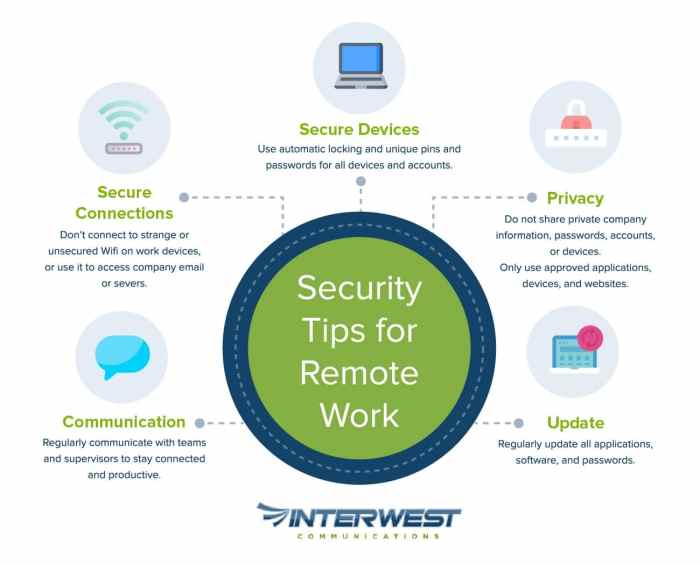
In conclusion, prioritizing security measures for remote workers is not just a choice but a necessity in today's digital landscape. By implementing proactive steps and fostering a culture of cybersecurity awareness, organizations can mitigate risks and operate efficiently in a remote work setting.
Stay informed, stay secure.
Questions and Answers
How do security measures benefit remote workers?
Security measures provide a protective shield against cyber threats, safeguarding both personal and company data while ensuring a secure work environment.
What are some common cybersecurity threats remote workers face?
Remote workers are often targeted by phishing scams, malware attacks, and unauthorized access attempts due to the nature of their decentralized work setup.
Why is multi-factor authentication important for remote access?
Multi-factor authentication adds an extra layer of security by requiring users to provide multiple forms of verification, reducing the risk of unauthorized access.

![The 5 Best Laptops for Small Businesses in 2024 [All Budgets]](https://business.blogcristiano.net/wp-content/uploads/2025/11/Top-5-Tech-Gadgets-for-Entrepreneurs-120x86.jpg)